


Hi,
You should stop and start your dataguard sometimes in case of need.
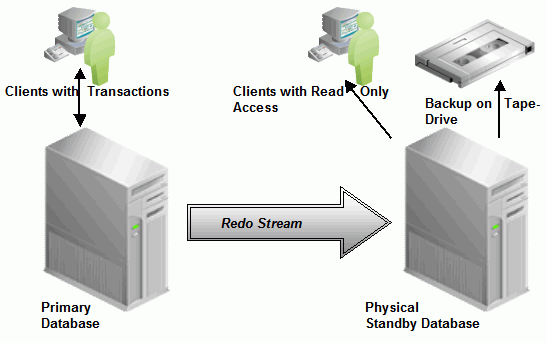

To stop dataguard you can use following query. When dataguard is stopped, MRP ( Media Recovery Process ) won’t run.
alter database recover managed standby database cancel;
To start dataguard you can use following query. When dataguard is started, MRP ( Media Recovery Process ) will run.
ALTER DATABASE RECOVER MANAGED STANDBY DATABASE DISCONNECT FROM SESSION;
But there will be some lag about 3-5 minutes in dataguard like following.
set lines 1000

select name,value from v$dataguard_stats;
 NAME                VALUE
-------------------------------- -------------------------
transport lag        +00 00:03:52
apply lag            +00 00:03:54
apply finish time    +00 00:00:00.001
estimated startup time 16 second
If you don’t want any lag you should start dataguard with using logfile option. You should add standby logs to the standby database in this case.
ALTER DATABASE RECOVER MANAGED STANDBY DATABASE USING CURRENT LOGFILE DISCONNECT FROM SESSION;
There won’t be any lag in this case like following.
set lines 1000

select name,value from v$dataguard_stats;
			      NAME		      VALUE
-------------------------------- -------------------------
			     transport lag	       +00 00:00:00
			     apply lag		       +00 00:00:00
			     apply finish time	       +00 00:00:00.001
		             estimated startup time    1	second
Do you want to learn Oracle Database for Beginners, then read the following articles.
https://ittutorial.org/oracle-database-19c-tutorials-for-beginners/